

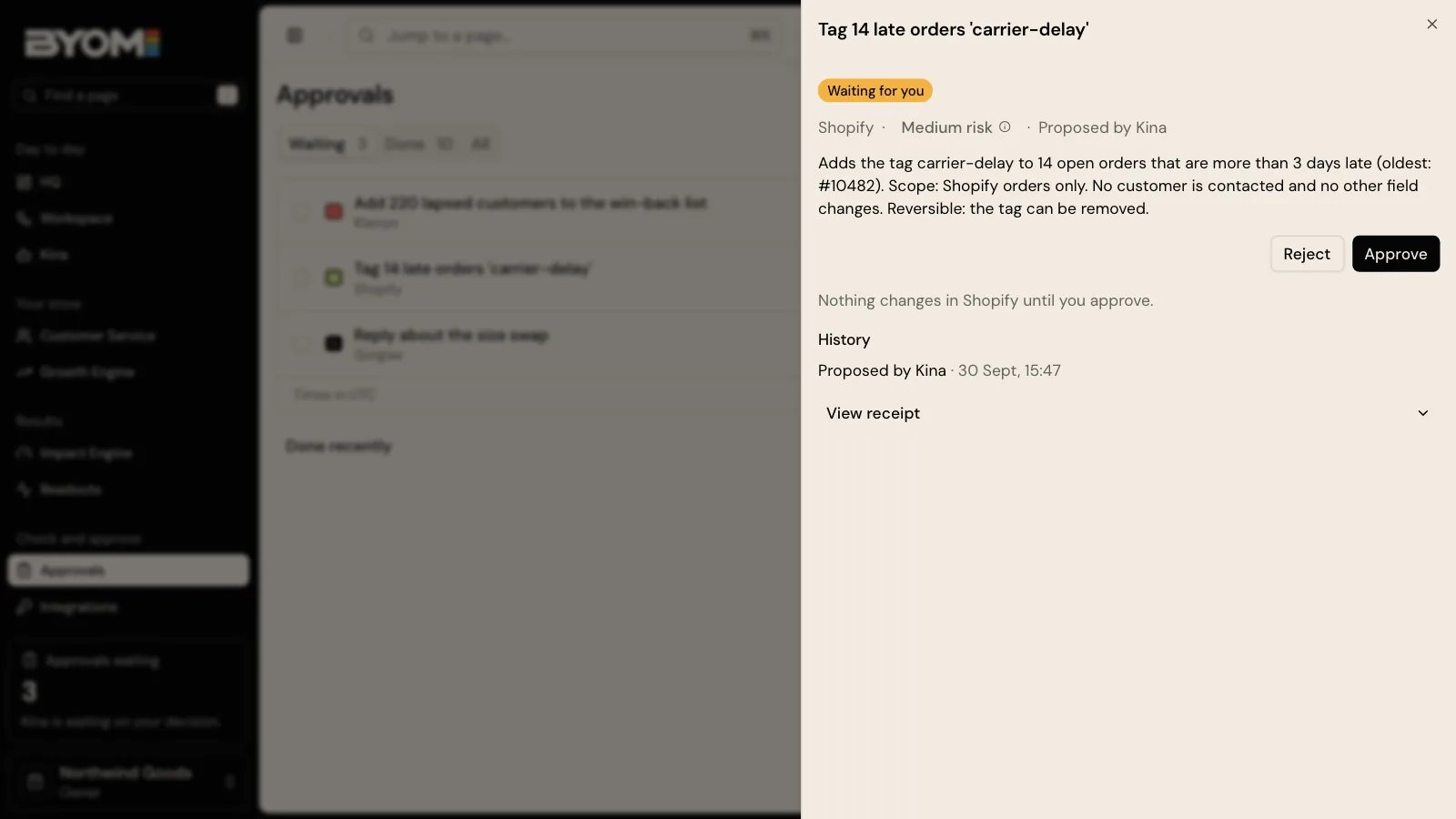
Illustrative demo approval screen. The proposed change is an example, not a live merchant transaction.
What to review
Read the target, the exact operation and the proposed before-and-after change. Check the evidence behind it, the relevant risk and whether a reversal is supported. Reject or revise a proposal that changes the wrong record or relies on an unsupported fact. For a batch, review every edit. An approval should be bound to the version you saw. A later change to the proposal is not covered by your earlier decision.Approval and execution are different
Approval records your decision. Execution attempts the authorised effect. The receipt records the result, including partial or failed work. An approval badge alone is not proof that every record changed. Your role may allow you to inspect a proposal without allowing you to approve it. A missing provider permission is also separate from approval: authorising a change does not grant BYOM an absent Shopify scope.Example
Kina drafts five improved product descriptions. You can read and refine all five. Before applying them, check the products and every field change. After execution, inspect the individual results; check any partial result before treating the batch as complete.Review a change in the interface
Open Approvals or the decision linked from HQ, Workspace or the relevant task. The same proposed change can be reached from several places; the review must still concern the same target and version. The review shows Before and After where field changes are available, alongside the reason, risk and reversal information. Approve and Reject are decisions about that proposal. Read the confirmation text before submitting: some contexts combine approval and making the change, while other contexts record approval and then offer Make the change. A supported helpdesk operation can show Send to your helpdesk instead. Do not infer the operation from a button alone. The confirmation should make clear which service is affected and whether the effect happens in that step. After an approval-only step, the view can say the change has not been made in the provider yet.Before you can approve
You need a role that can make the decision, a current proposal and the applicable permission. A higher-risk change may require an additional sign-in check. Some proposals require another approver; if the interface says a second approver is required, having drafted the work does not let you approve it yourself. If the proposed work includes media, the exact attached version and its source must be available for review. An unavailable preview is a reason to stop, not to approve from a filename. Accepting creative work for editorial review is also distinct from approving its rights, publishing it or authorising spend.Worked example: approval with a narrower meaning
A fictional merchant reviews a prepared creative pack. Its copy and ordered versions are suitable, so an editorial review is accepted. That acceptance alone does not give permission to use an unlicensed image or publish an advertising campaign. Before any external use, check the relevant rights and the separate effect being authorised. Check which effect the proposal authorises before accepting it. For a simpler catalogue batch, suppose five descriptions are prepared but one includes an unsupported material claim. Revise that item before accepting the batch. Approval is not a request for Kina to decide which unseen edits you would probably accept.When approval is unavailable
Use View receipt after a recorded decision or result. The receipt keeps the detailed evidence needed to establish what was authorised and what completed.
Reviewed 2 October 2026.