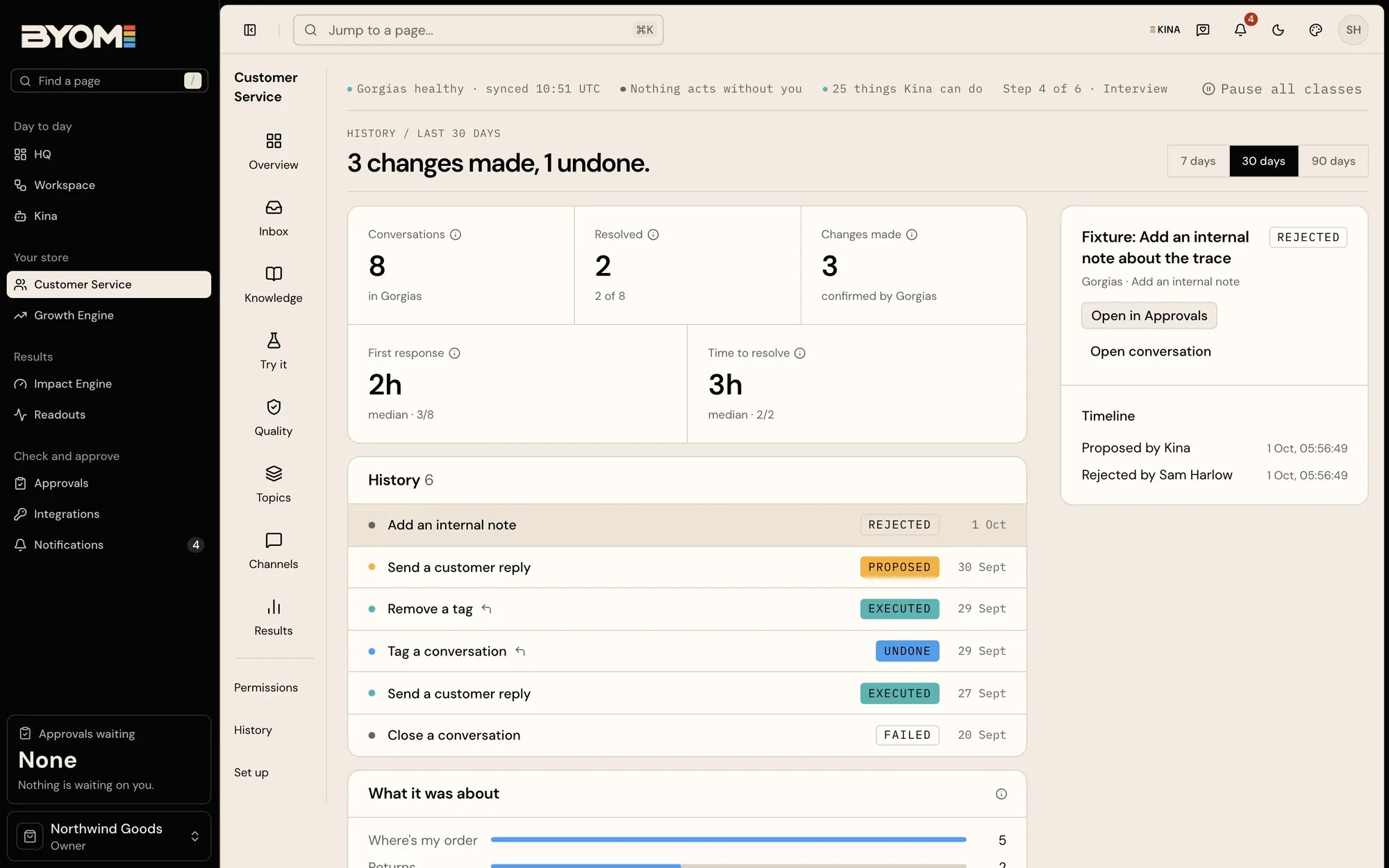

Use Customer Service to investigate an enquiry and draft a reply from the order evidence and your brand’s policy. Kina helps prepare the response; you review supported sends and other consequential changes before they happen.

Start with the actual enquiry

Establish which order or issue the customer means using the supported source. Check the fulfilment or delivery evidence, its freshness and the relevant policy. A tracking event and a customer’s report can disagree; surface the discrepancy instead of presenting a guess as a fact. A useful request is: “Explain the current status of this enquiry using the connected evidence. Draft a response under our shipping policy and flag what still needs checking.”

Policy is part of the answer

Returns, refunds, delivery promises and escalation rules should come from the brand’s policy. Do not invent a universal refund threshold or offer a promise that the connected evidence cannot support. Before approving a reply, check the recipient, the facts, the tone and any commitment. Preparing a response does not mean the customer has received it.

Data and available operations

Use the authorised enquiry and order flow where available. Avoid copying complete customer records into broad company notes or unrelated conversations. Customer-data permissions can be separate from catalogue access. Available helpdesk operations, order evidence and sending capabilities depend on the connected systems and account enablement. Check which reply, refund and carrier operations are available to your company. Check the actual Action and receipt for completed work.

Work through an enquiry

Demo Customer Service history showing recorded work and its results

Illustrative demo Customer Service history. The displayed entries explain recorded service work; they are not live customer conversations or delivery outcomes.

Before starting, check that the relevant helpdesk and any required order source are available in Integrations. Catalogue access alone is not enough for customer-order questions. You also need the brand’s current policy and an account allowed to perform the intended work. Open Customer Service and use Inbox to choose the conversation. Read the customer’s actual message and the conversation context before asking for a response. The conversation view brings together the draft, the decision and the evidence; a customer-facing send remains separate from preparation. Use Ask Kina about this conversation to investigate with the conversation attached. For a supported order or product-question workflow, Draft the reply with Kina is offered when eligible. If that control is unavailable, read the reason rather than copying a whole customer record into another chat. Inspect the evidence alongside the draft. For an order enquiry, check which order the message concerns, the fulfilment and delivery information and the time the source was read. A new customer message or updated order evidence can make an earlier draft stale. Recheck the current context before approving a reply.

Use the surrounding sections for the right job

Check the available operation and its decision state before sending or making another provider change.

Worked example: no delivery promise from a stale event

A fictional customer says their order has not arrived. The latest available carrier event shows dispatch yesterday, but there is no delivery confirmation. The brand’s policy explains how late enquiries should be handled. A suitable draft states the observed status, acknowledges the customer’s report and follows the policy’s next step. It does not claim “delivered” or promise “tomorrow” without supporting evidence. If the source cannot identify the correct order, the next step is clarification or an authorised evidence check, not a confidently worded reply. Before approving, check the correct conversation, intended recipient, facts and commitments. The decision view can offer a helpdesk send when supported. Inspect the receipt and provider result afterward; a saved draft is not a sent reply.

When a workflow stops

A missing order grant requires an access fix. An ambiguous customer match requires clarification. An outdated draft requires revision. Sending blocked by capability cannot be overcome with stronger wording in chat. Keep sensitive details in the authorised enquiry flow. When escalating a problem, share a conversation reference and a redacted description of the issue rather than exporting all customer messages. Reviewed 2 October 2026.