

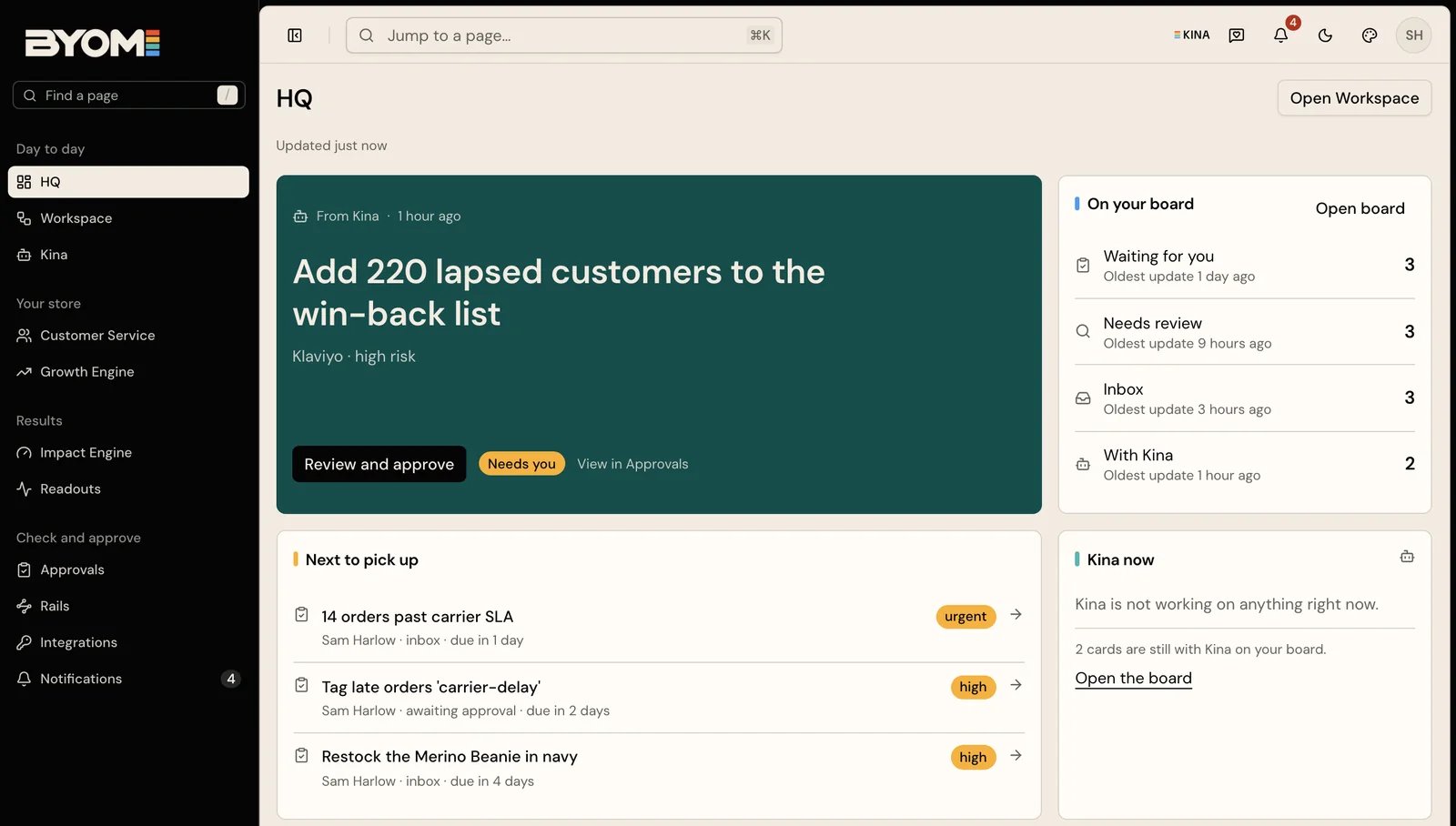
Illustrative demo workspace. Names, activity and figures are examples, not merchant outcomes.
Use HQ for attention
HQ brings together Kina’s brief, items waiting for you, recent activity and supporting information. Open the item that needs a decision rather than treating a summary as the full evidence. An “Updated” time describes when the page read its sources. It is not a promise that Kina has performed a fresh investigation of every part of the business.Use Workspace for continuity
Workspace makes the work inspectable: the subject, current state, activity and next step belong with the record. For example, a product-content review can remain visible while a colleague checks the proposed wording. A board item and an Action serve different purposes. The board tracks the work; the Action governs a consequential change. Finishing a draft does not authorise its publication.Choose what Kina should remember
Where Memory is enabled, use it to save and review explicit facts or instructions. It is separate from Brand Memory, which helps you inspect source-backed company context. Review the wording of a saved instruction and check the original source behind a retrieved passage. Open Memory and choose Just me (private) for a personal note or Whole company for context the team should use. Add a clear title and detail, then choose Remember this. Personal memory saves for its owner. Company memory enters Waiting for you and requires an owner or admin to approve it before it becomes shared context. An approval request is not yet an accepted company instruction. For example, “Use short summaries for my daily review” can be a personal preference. “Do not promise next-day delivery outside the UK” is a proposed company instruction: check it against the actual shipping policy before an owner or admin approves it. Reviewers can edit the wording before approval or reject a suggestion with a note. Kina does not approve its own suggested company memory. Use All, Company or Mine to inspect the relevant audience. If a fact has changed, use Correct to propose its replacement. Use Still true only after checking an entry that needs reconfirmation; confirming freshness does not turn an unsupported assertion into a fact. Forget removes an entry through the supported control: you manage your own personal memory, while owners and admins manage shared entries. Forgetting a note does not itself delete the source document, an existing receipt or a copy already held by another service. Keep passwords, access tokens and unnecessary customer details out of memory. For a colleague’s handover, keep the source, decision and next step with the work record; a broad memory note should not replace the job’s evidence.Read estimates carefully
An estimate of time saved is a model based on completed work, assumed task duration and an hourly rate. It is useful for orientation, but it is not measured sales, cash saved or a guaranteed return. If a summary and the underlying record appear inconsistent, open the record and receipt before acting. Report the discrepancy with the item and time, without sharing secrets or raw customer data.Follow one item from attention to work
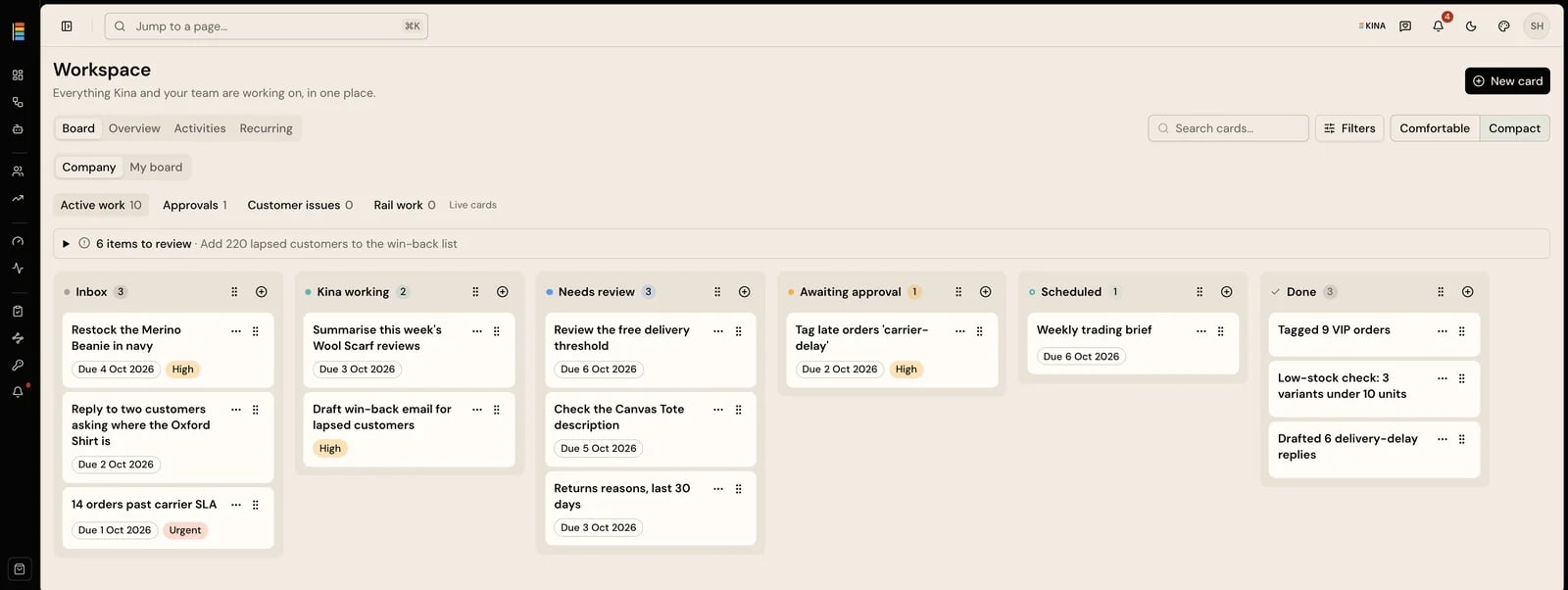
Illustrative demo Workspace board. Use work records to follow preparation and next steps; these example cards are not live merchant work.
1
Read the brief in context
Check the company, the page’s Updated time and the time on Kina’s brief. Open the relevant item rather than interpreting every headline as a new investigation.
2
Open the item that needs attention
A waiting decision opens the proposed change for review. A work item opens its own record. The board record describes the work; the decision view shows the specific effect for review.
3
Inspect the record
Read the subject, activity and current next step. Check whether the work is awaiting information, prepared for review or already has an execution result. Use the linked source or receipt when you need evidence beyond the summary.
4
Continue with the right action
Ask Kina to investigate or revise internal work. Review a proposed external change in Approvals. If an outcome is uncertain, inspect its receipt before starting another attempt.