

Before you start
You need an invited or otherwise enabled BYOM account, access to the correct company, and permission to read the information for your task. For a store question, the relevant provider connection must also be available. An account invitation does not grant every provider permission, and reading these docs does not create an account. Choose a task you can check yourself. One product description is a good starting point: you can compare the source facts, the original text and Kina’s proposed wording. Have the product name or reference and the relevant brand guidance ready. If the guidance is missing, say so instead of asking Kina to invent it.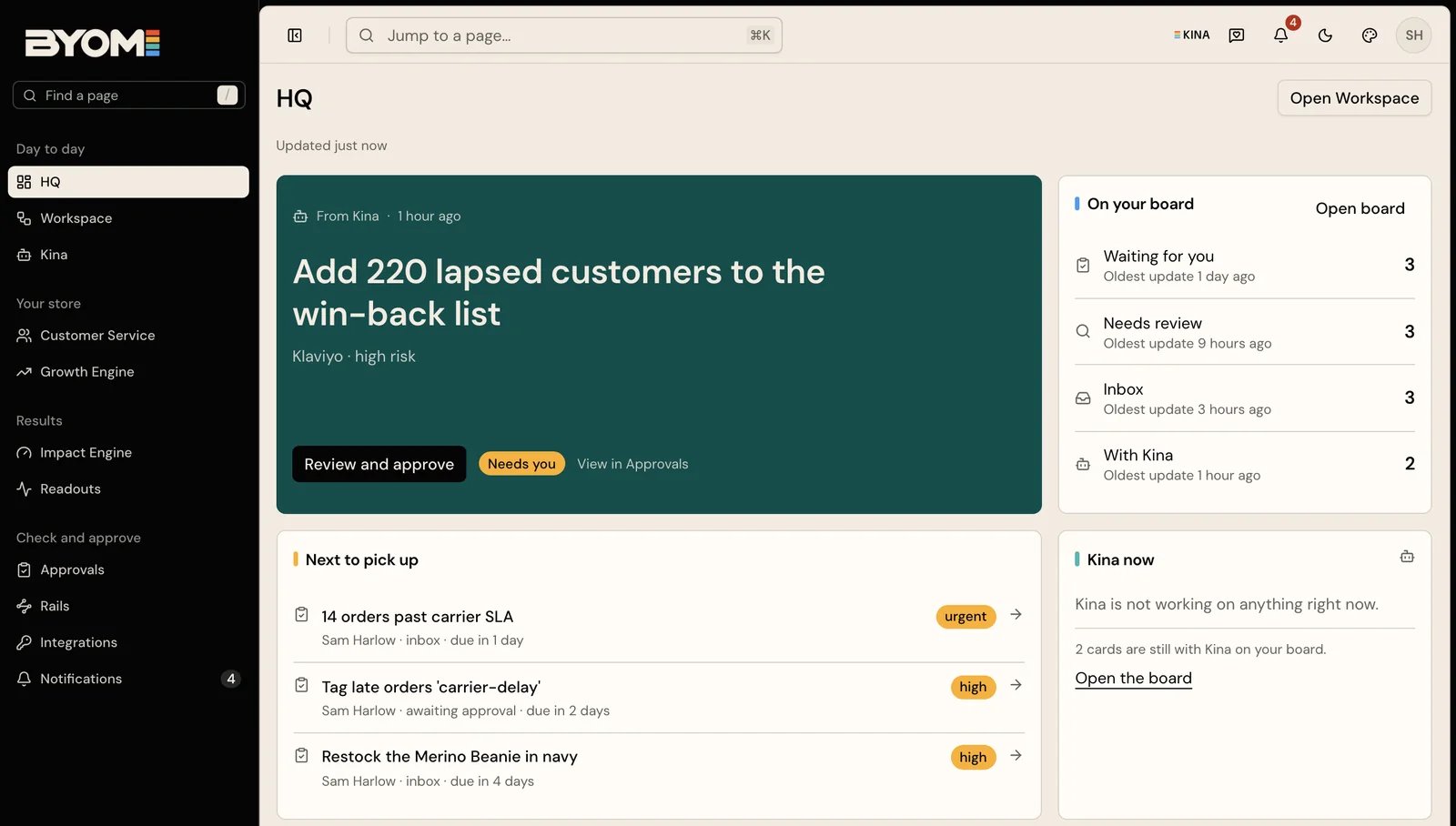
Illustrative demo HQ. The names, counts and proposed work are examples, not a customer's results.
1
Check where you are
Open the authenticated BYOM application with your invited or enabled account. Confirm the company context before asking about its business. HQ is the home page; Workspace is where work records live.
2
Check the source
Open Integrations and confirm the relevant store or service is connected to the expected company. Inspect its current state and the capability needed for this task. A connection alone does not guarantee every operation is available: the account’s permissions and the provider’s scopes matter too.
3
Ask a bounded question
Try “Review this product description against our brand guidance. Show the source facts and suggest three improvements.” Name the product and the intended result.
4
Check the answer
Read the sources, missing information and proposed next step. If a store change is prepared, review the actual Action in Approvals before approving it.
Work through one product
Give Kina a clear brief:Review the description of our linen shirt. Use the current product facts and our brand guidance. Identify missing care information, flag claims the source does not support, and draft a clearer description. Show the current and proposed text for review.This asks for research and preparation. You should be able to inspect the product being discussed, the facts used, the proposed wording and any missing information. If Kina identifies the wrong product, correct that before continuing. If it cannot read the source, restore access or provide appropriate source material before relying on the draft. Ask a follow-up when the draft needs work: “Keep the material wording exactly as the source says”, or “Remove the claim that is not supported.” A polished draft needs to preserve the facts that matter.